我在主题作者的Github上提的issue需求:添加友链,打赏等功能 #65
修改社交链接
/themes/obsidian/layout/_partial/post/article.ejs文件中
文头添加如下片段引入图标,这个是我自己的网址,想换其他图标下面会介绍。
1<%- css(['//ppt.bugatii100peagle.cn/font_uufs75uai6o/iconfont.css']) %>
找到如下片段,大概105行左右的位置
 1        <div class="sidebar">
 2            <div class="box animated fadeInRight">
 3                <div class="subbox">
 4                    <img src="<%- theme.avatar %>" height=300 width=300></img>
 5                    <p><%- config.author %></p>
 6                    <span><%- theme.descriptionOne %></span>
 7                    <dl>
 8                        <dd><a href="<%- theme.socials.github %>" target="_blank"><span
 9                                    class=" iconfont icon-github"></span></a></dd>
10                        <dd><a href="<%- theme.socials.mail %>" target="_blank"><span
11                                    class=" iconfont icon-mail"></span></a></dd>
12                        <dd><a href="<%- theme.socials.stackoverflow %>" target="_blank"><span
13                                    class=" iconfont icon-stack-overflow"></span></a></dd>
14                    </dl>
15                </div>
16                <ul>
改为
 1        <div class="sidebar">
 2            <div class="box animated fadeInRight">
 3                <div class="subbox">
 4                    <img src="<%- theme.avatar %>" height=300 width=300></img>
 5                    <p><%- config.author %></p>
 6                    <span><%- theme.descriptionOne %></span>
 7                    <dl>
 8                        <dd><a href="<%- theme.socials.github %>" target="_blank"><span
 9                                    class=" iconfont icon-github"></span></a></dd>
10                        <dd><a href="<%- theme.socials.mail %>" target="_blank"><span
11                                    class=" iconfont icon-mail"></span></a></dd>
12                        <dd><a href="<%- theme.socials.rss %>" target="_blank"><span
13                                    class=" iconfont icon-rss"></span></a></dd>
14                   </dl>
15                    <dl>
16                        <dd><a href="<%- theme.socials.bilibili %>" target="_blank"><span
17                                    class=" iconfont icon-bilibili"></span></a></dd>
18                        <dd><a href="<%- theme.socials.zhihu %>" target="_blank"><span
19                                    class=" iconfont icon-zhihu"></span></a></dd>
20                        <dd><a href="<%- theme.socials.QQ %>" target="_blank"><span
21                                    class=" iconfont icon-QQ"></span></a></dd>
22                    </dl>
23                </div>
然后把主题文件/obsidian/_config.yml中# Social media links socials:的字段改为:
1# Social media links
2socials:
3  github: "https://github.com/你的Github主页"
4  mail: "mailto:你的邮箱"
5  rss: "https://网站域名/atom.xml"  #安装相关插件后自动生成见下
6  bilibili: "https://space.bilibili.com/你的哔哩哔哩主页"
7  zhihu: "https://www.zhihu.com/people/你的知乎主页"
8  QQ: "tencent://AddContact/?fromId=45&fromSubId=1&subcmd=all&uin=你的QQ号&website=www.oicqzone.com"
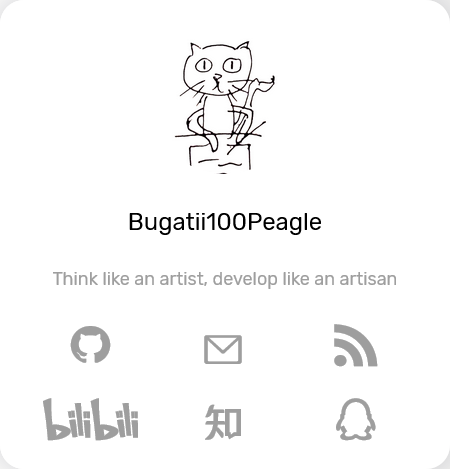
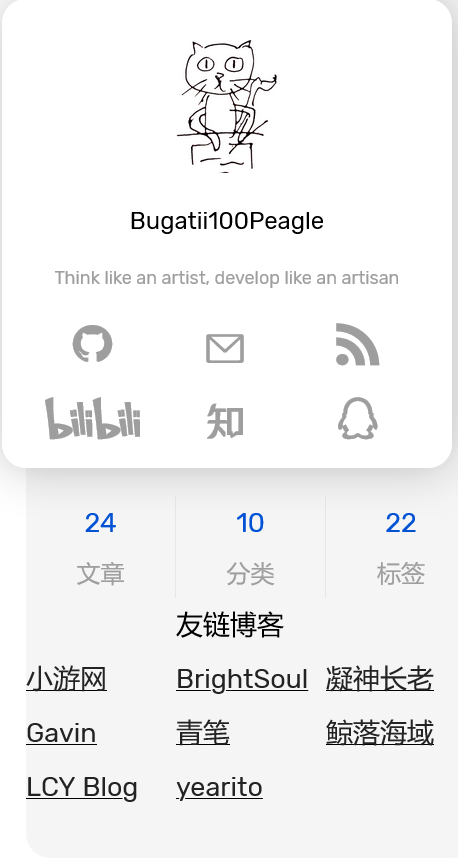
保存,然后重新发布hexo,效果如图
参考
换图标CSS
参考Iconfont 国内最强图标库 入门用法简介
在 https://www.iconfont.cn/ 选择你喜欢的图标加购物车,然后下载代码,把代码传到服务器上,在/themes/obsidian/layout/_partial/post/article.ejs文件开头引入即可。
RSS插件安装
参考为Hexo添加RSS和Sitemap 安装插件
1npm install hexo-generator-feed --save
执行 hexo g,查看一下public目录下,如果有atom.xml文件,则表明配置成功
主题文件中不需要修改, @TriDiamond 已经写了,但是我似乎没在页面上找到RSS再哪里,所以还是自己接一个。
友链
通过分析大概能猜出/themes/obsidian/layout/_partial/post/article.ejs 文件中的代码与实际效果的对应关系。
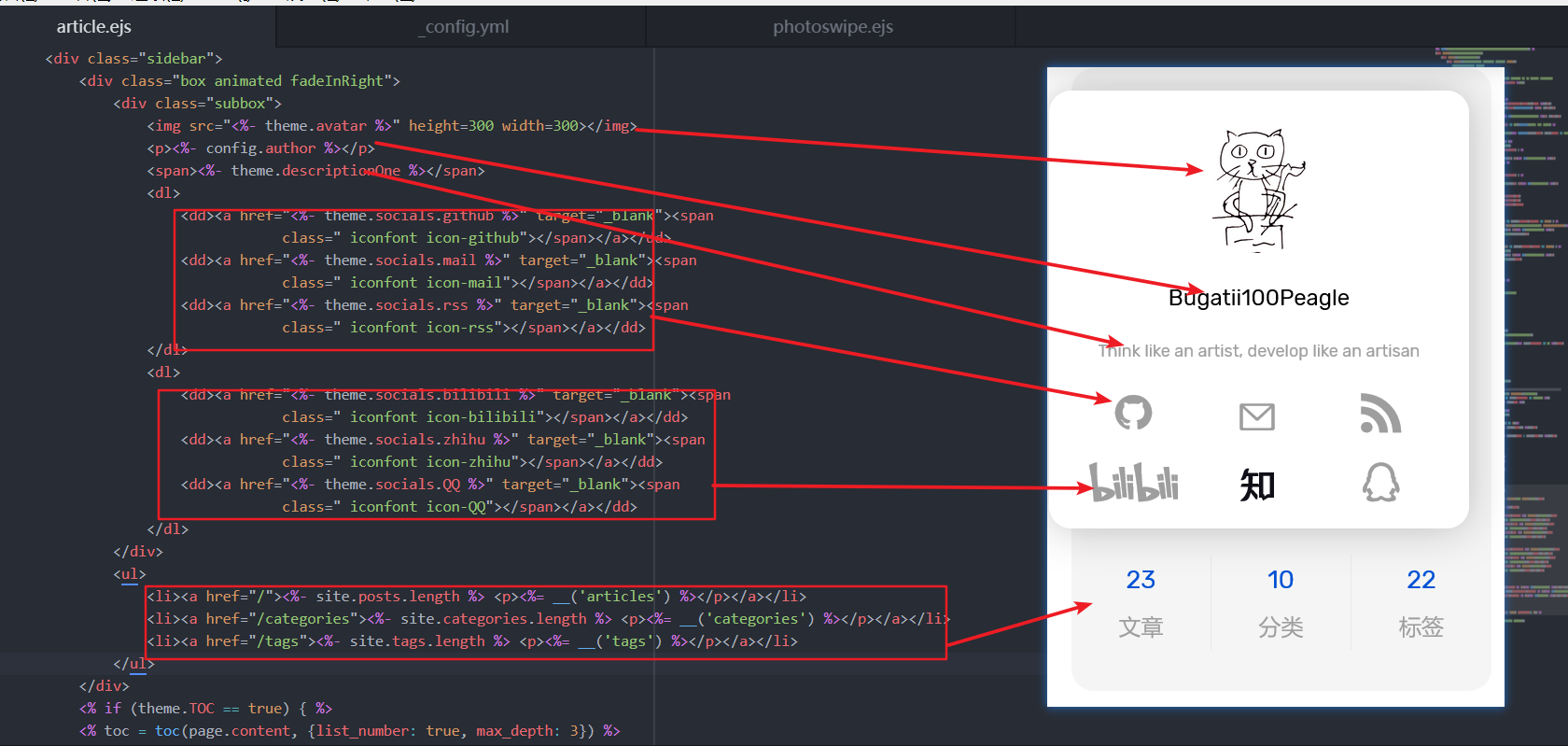
那么友链就加在文章 分类 标签的下面
1<ul>
2    <li><a href="/"><%- site.posts.length %> <p><%= __('articles') %></p></a></li>
3    <li><a href="/categories"><%- site.categories.length %> <p><%= __('categories') %></p></a></li>
4    <li><a href="/tags"><%- site.tags.length %> <p><%= __('tags') %></p></a></li>
5</ul>
在上述片段下面加一行
 1<ul>
 2    <br><span><b><p>友链博客</p></b></span><br>
 3    <span><u><p><a href="https://xiaoyou66.com/" target="_blank">小游网</a></p></u></span>
 4    <span><u><p><a href="https://brightsoulxyhy.github.io/" target="_blank">BrightSoul</a></p></u></span>
 5    <span><u><p><a href="https://www.jxtxzzw.com/" target="_blank">凝神长老</a></p></u></span>
 6    <span><u><p><a href="http://climate2weather.cc/" target="_blank">Gavin</a></p></u></span>
 7    <span><u><p><a href="https://kenblog.top/ps/weixin.html" target="_blank">青笔</a></p></u></span>
 8    <span><u><p><a href="https://www.denry.cn/" target="_blank">鲸落海域</a></p></u></span>
 9    <span><u><p><a href="https://blog.lcyown.cn/" target="_blank">LCY Blog</a></p></u></span>
10    <span><u><p><a href="http://yearito.cn/" target="_blank">yearito</a></p></u></span>
11</ul>
其中href字段后填网址,"_blank">博客标题</a>中间填博客标题,这个方法有个缺点就是,博客标题不能太长。像我那么长的名字就不行,除非手动限制大小,可参考html字体大小、颜色、粗体、下划线代码(局部)
真是硬核的加友链的方式!
打赏
还是/themes/obsidian/layout/_partial/post/article.ejs 文件,找到下面的字段,就在刚刚改友链的下面。是那个一直会移动显示目录的那块,一直在画面,跟随移动,更容易受到赞赏。
1<div class="box sticky animated fadeInRight faster">
2    <div id="toc" class="subbox">
3        <h4><%= __('toc') %></h4>
4        <%- toc %>
5    </div>
6</div>
改为
 1<div class="box sticky animated fadeInRight faster">
 2    <div id="toc" class="subbox">
 3        <h4><%= __('toc') %></h4>
 4        <%- toc %>
 5    </div>
 6        <ul>
 7            <span><u><p><a href="http://你的微信打赏码链接" target="_blank">微信打赏</a></p></u></span>
 8            <span><u><p><a href="http://你的支付宝打赏链接" target="_blank">支付宝打赏</a></p></u></span>
 9       </ul>
10</div>
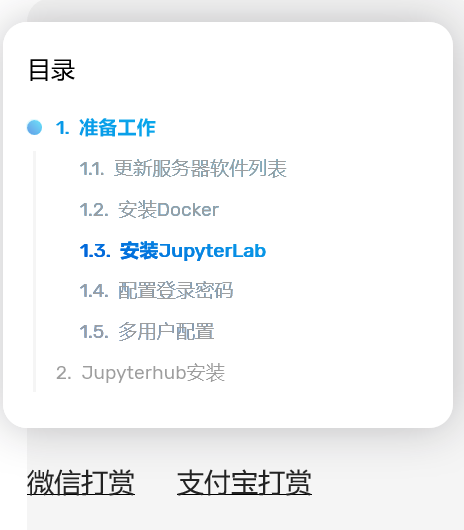
效果如图,点击打开新的标签页就是赞赏码。